Managing users in a clinic is more than just giving logins — it's about security, accountability, and smooth coordination across teams. With Felixa Touch , clinics can easily create, edit, suspend, or delete doctors and staff using role-based access in one simple dashboard.
It helps manage and control user access using a centralized Admin panel designed for real clinical workflows.Felixa Touch simplifies all of this with a clear and secure Admin-only User Management module.
Why User Management Is Critical for Clinics
From doctors and front-desk staff to pharmacists and lab users, every role needsspecific, controlled access. A well-structured user management system helps clinics:
- Protect sensitive patient data
- Assign role-based system access
- Reduce operational errors
- Maintain accountability across departments
User Management in Felixa Touch: Step-by-Step Guide
1. Accessing User Management
Access Level: Admin Only
Only Admin users can manage system users.
Steps to Access User Management
- 1
Log in using Admin credentials.
- 2
Go to Settings from the left menu.
- 3
Select User Management.
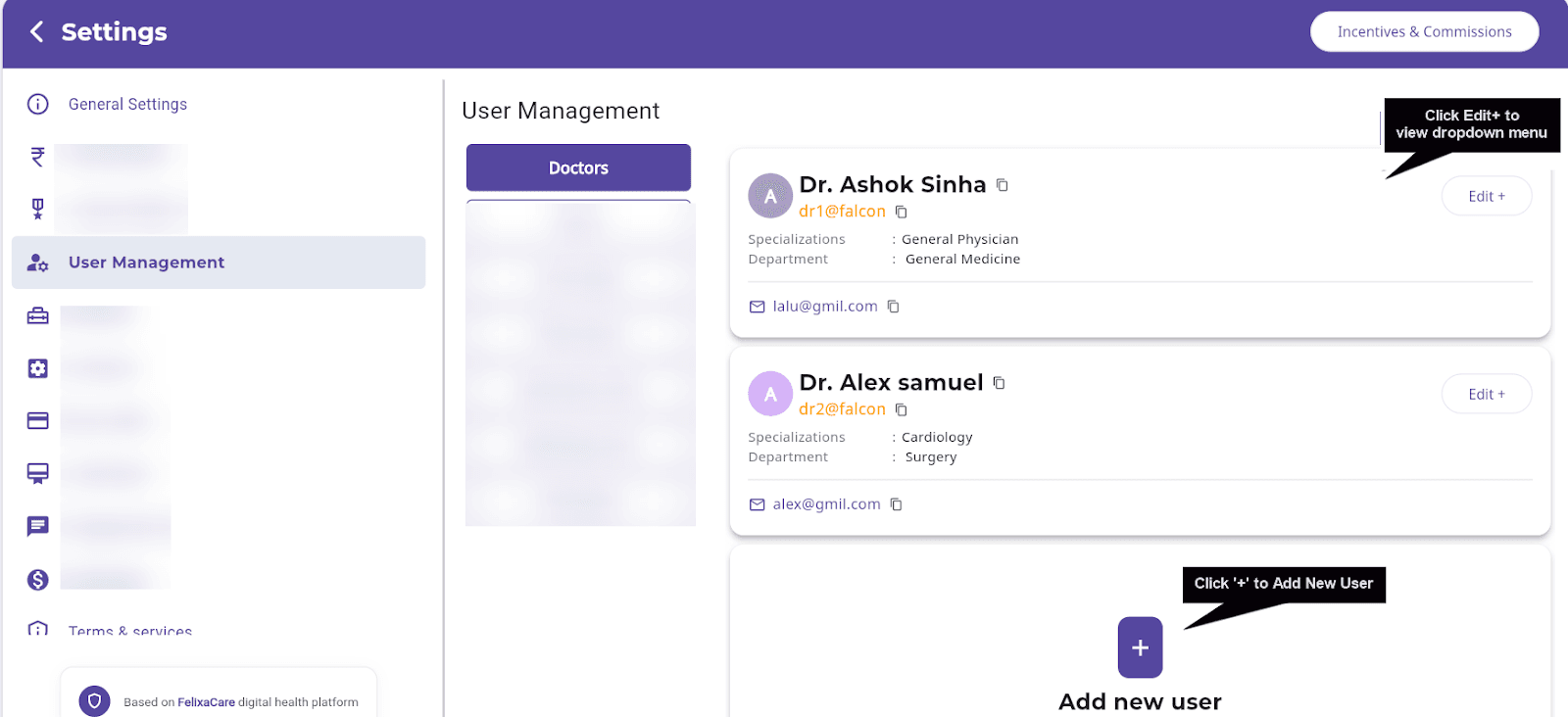
Screenshot 1: Settings menu with User Management highlighted
2. Creating a New User
Used By: Admin
Admins can add new users in just a few steps.
Mandatory Details Required
- Full Name
- Date of Birth
- Gender
- Email ID
Optional Details
- Department / Specialization
- Service-related information
Steps to Create a New User
- 1
Select the user role (Doctor, Front Desk, Pharmacist, Lab User, etc.).
- 2
Click ➕ Add New User.
- 3
Enter mandatory details: Full Name, Date of Birth, Gender, Email ID.
- 4
Add optional details like Department / Specialization and Service information.
- 5
Click Next.
- 6
Create login credentials: Username, Password, Confirm Password.
- 7
Click Save.
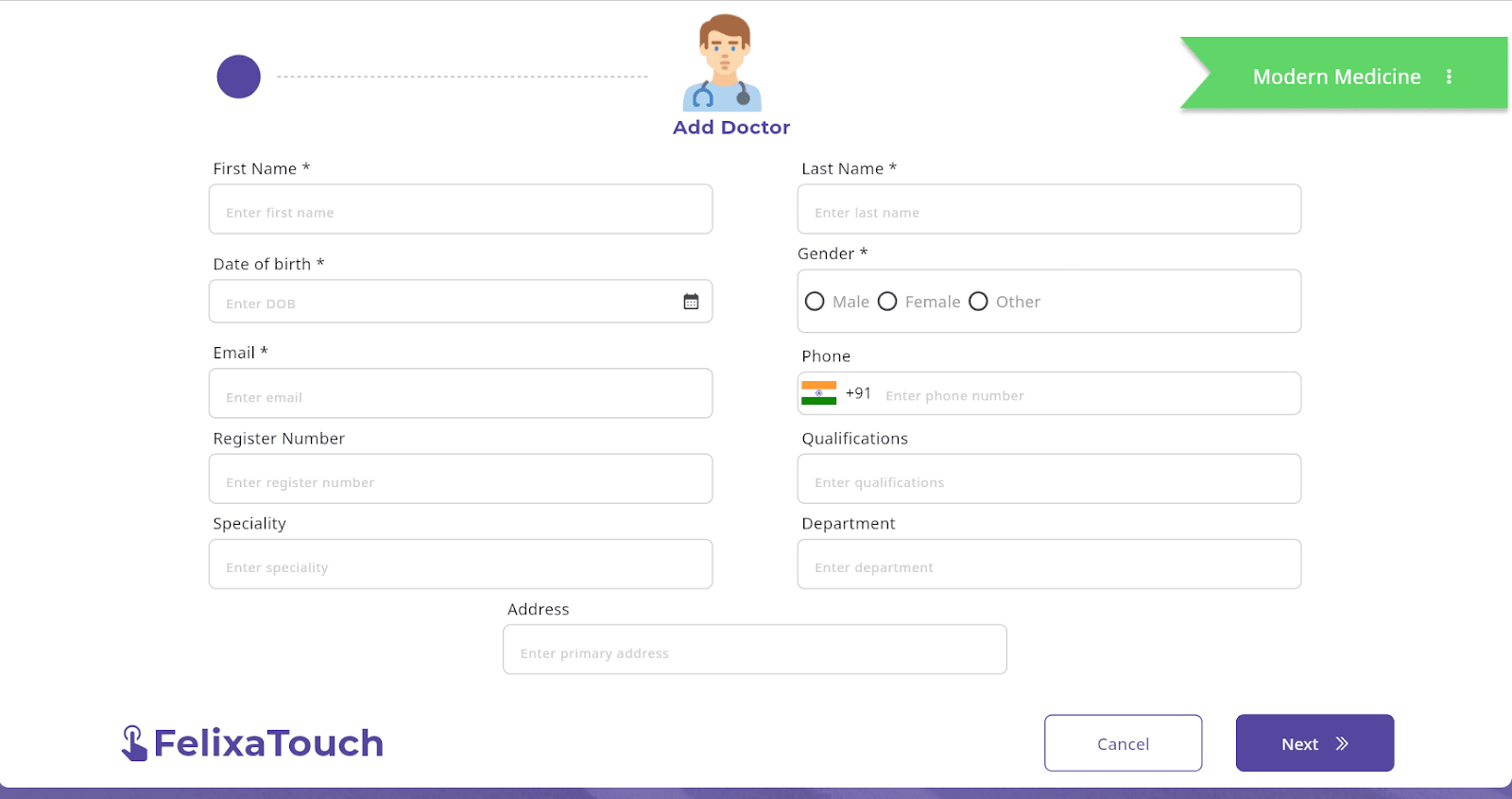
Screenshot 2: Add New User button and user role selection
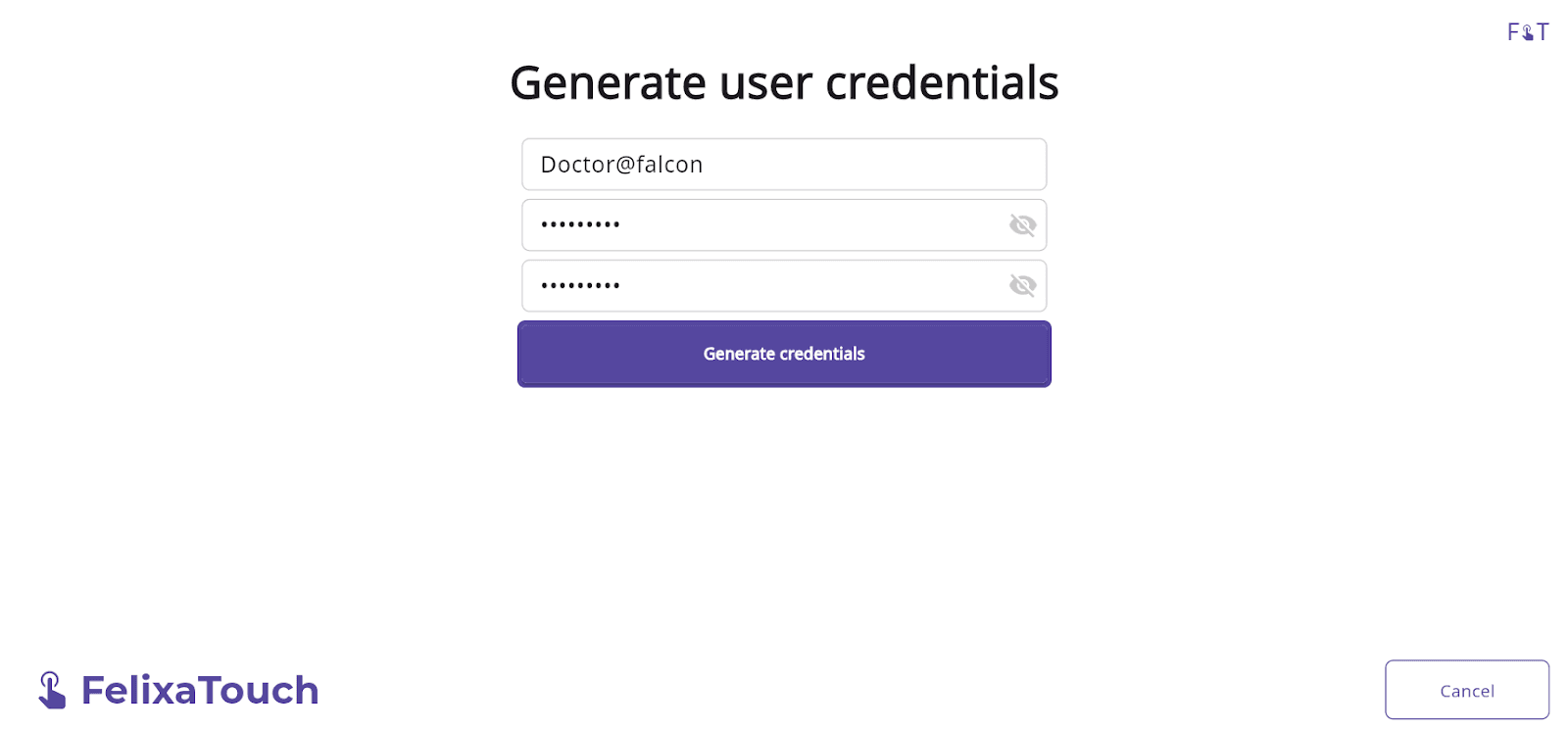
Screenshot 3: Username and password creation screen
Each user gets their own credentials — e.g., Username@clinicname
Note:
Repeat the same steps to add multiple users as per clinic requirements.
3. Viewing User Details
Once created, all users are listed in the User Management panel with their complete profile details.
Each user listing includes:
- User name
- Login username
- Role / Department / Specialization
- Email ID
- Phone number
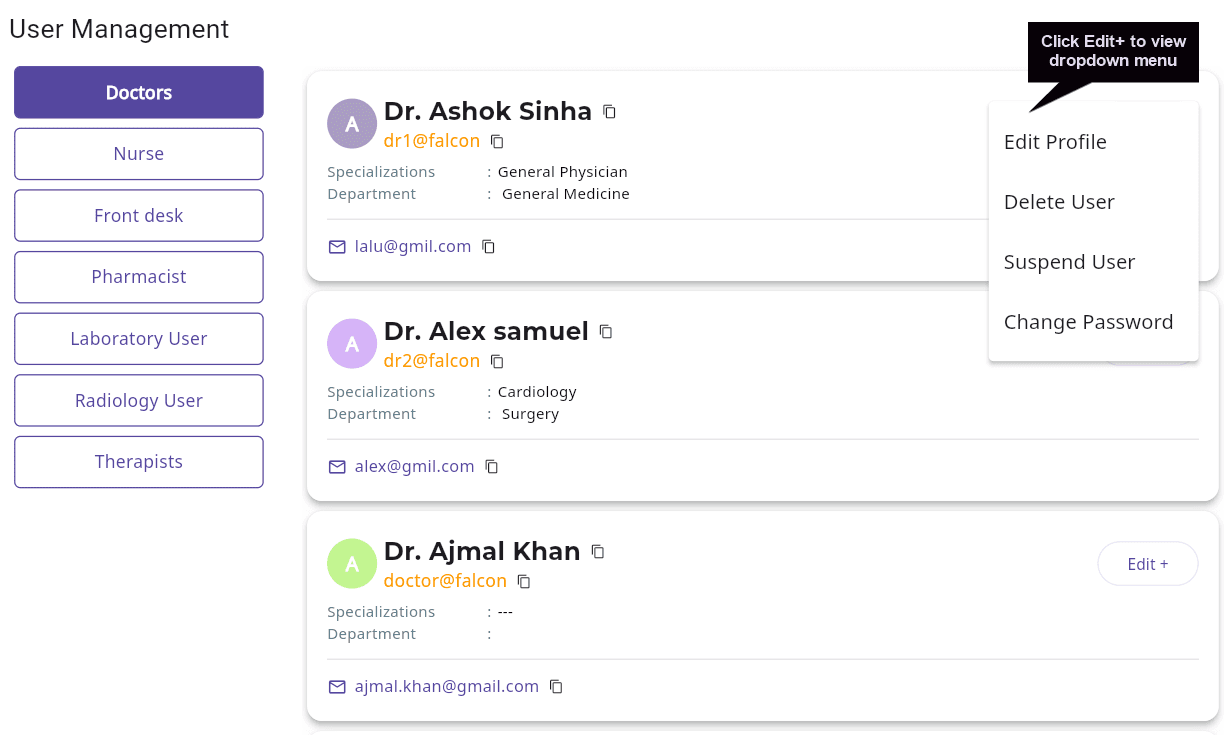
Screenshot 4: User Management list view with Edit option
Each user entry includes an Edit option for quick actions
4. Editing a User Profile
To update user information :
Steps to Edit a User Profile
- 1
Select the user role .
- 2
Locate the user in the list.
- 3
Click Edit → Edit Profile.
- 4
Update the required details.
- 5
Save changes.
5. Changing a User Password
Admins can reset user credentials anytime.
Steps to Change a User Password
- 1
Select the user.
- 2
Click Edit → Change Password.
- 3
Click Edit → Change Password.
- 4
Enter and confirm the new password.
- 5
Save.
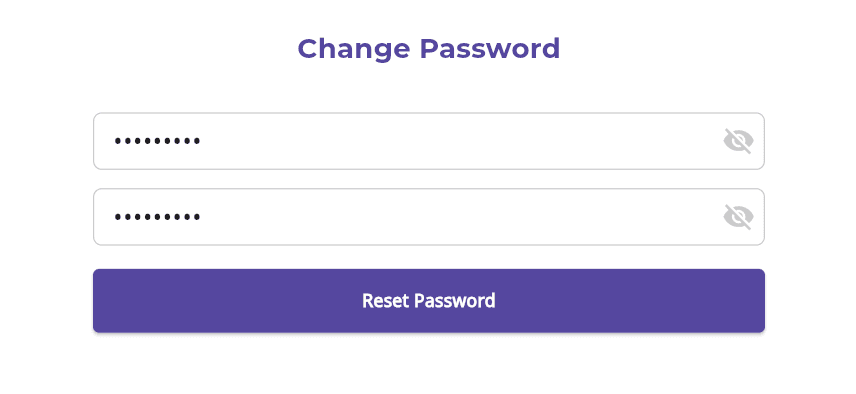
Screenshot 7: Change Password screen
6. Suspending a User
To temporarily restrict system access.
Steps to Suspend a User
- 1
Select the user.
- 2
Click Edit → Suspend User.
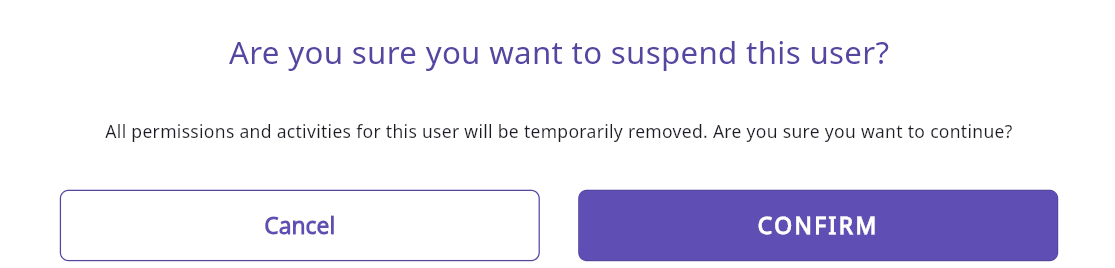
Screenshot 8: Suspend User option
Outcome:
The user’s access will be disabled and can be reactivated later.
7. Deleting a User
To permanently remove a user.
Steps to Delete a User
- 1
Select the user.
- 2
Click Edit → Delete User.
- 3
Confirm the action.
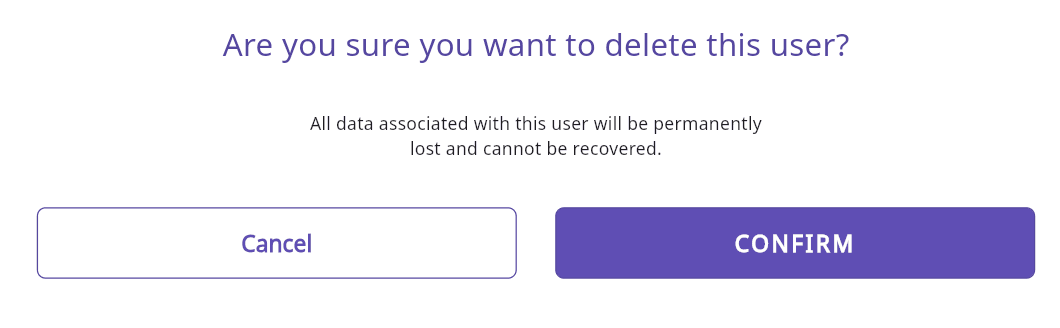
Screenshot 9: Delete User confirmation popup
Warning:
Deleting a user permanently removes access and should be done carefully.
Why Clinics Choose Felixa Touch
Admin-Only Secure User Control
Centralized access management exclusively for Admins
Role-Based Access
Specific access levels for every department and role
Simple, Intuitive Interface
Easy to use without technical expertise
Scales with Clinic Growth
Add unlimited users as your clinic expands
Built for Clinic Workflows
Designed specifically for clinic and print management workflows
Conclusion
If you're looking for clinic user management software that offers security, simplicity, and complete control, Felixa Touch is designed to fit seamlessly into your clinic operations.
Smarter access. Better control. One powerful platform.
Ready to Take Control of Your Clinic's User Access?
Experience secure, role-based user management with Felixa Touch. Book a free demo today and see how we can streamline your clinic's administrative operations.