In a busy clinic, time isn’t just money—it’s patient trust. Jumping between screens, searching for past records, or repeating entries can slow everything down.
FelixaTouch simplifies this by keeping everything connected. From the moment a patient walks in to every follow-up that comes after, their entire medical story stays organized, accessible, and ready when you need it.
Centralized Patient Records, Zero Confusion
Every user Admin, Doctor, Front Desk, and Nurse can access complete patient records from a single dashboard. With just a few clicks, you can view :
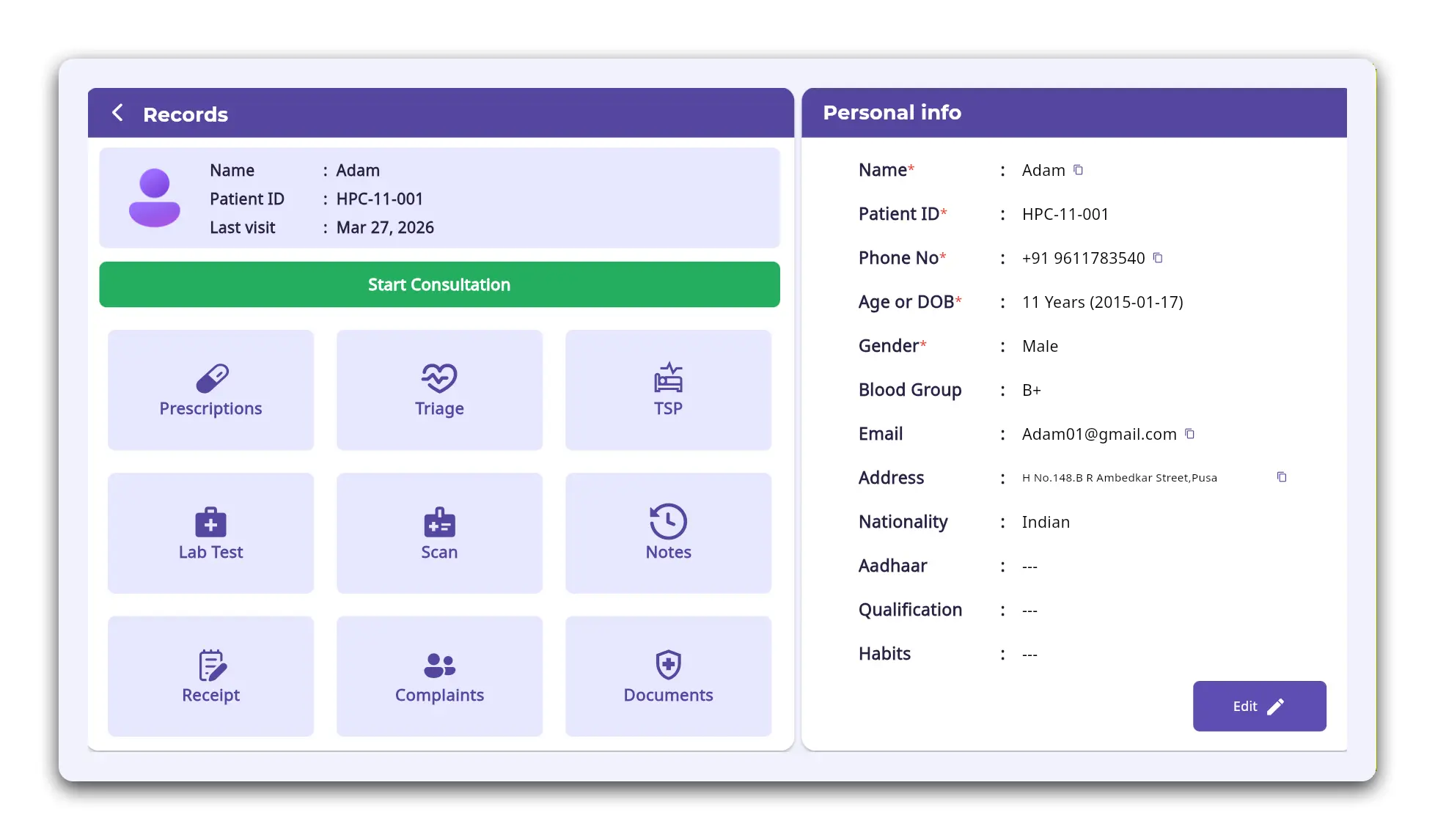
Figure 1: Patient Dashboard / EMR Overview
This unified access removes the need to switch between systems or depend on manual coordination.
Outcome:
Faster decisions and better continuity of care .
Start Consultations Directly from EMR
Doctors don't need to rebook or duplicate entries to begin a consultation.
Consultations can be initiated directly from the EMR, ensuring:
- No repeated data entry
- Seamless follow-ups
- Better tracking of ongoing treatments
This is especially useful for managing chronic cases where history matters the most.
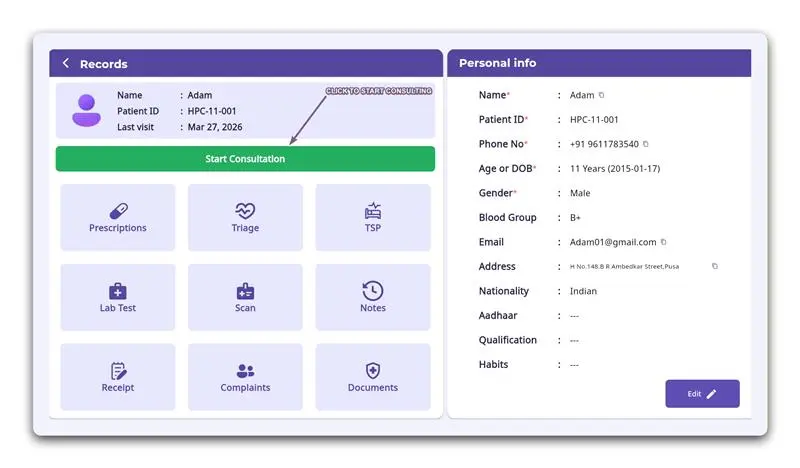
Figure 2: Start Consultation Button inside EMR
Outcome:
Quicker follow-ups and smoother patient management .
Everything Organized, Exactly Where You Need It
Patient data is not just stored—it’s structured for quick understanding. The EMR is divided into clear, actionable sections:
Prescriptions
Previous medications.
Triage
Vitals and assessments.
TSP (Tests, Scans, Procedures)
Advised medical actions.
Lab & Scan
Reports and results.
Notes
Doctor’s observations.
Receipts
Billing and payment history.
Complaints
Visit-wise concerns.
Documents
Medical records and uploads.
Each section opens instantly with detailed information, helping you focus on care instead of navigation.
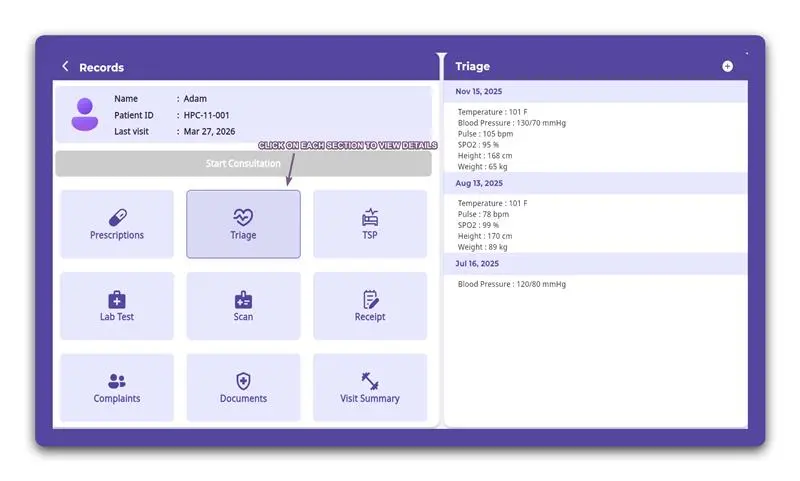
Figure 3: EMR Sections Panel
Real-Time Updates for Active Patients
When a patient is physically present in the clinic, their data can be updated in real time.
Vitals can be added directly within the EMR under Triage using a simple "+" option.
This ensures the latest information is always available before the consultation begins.
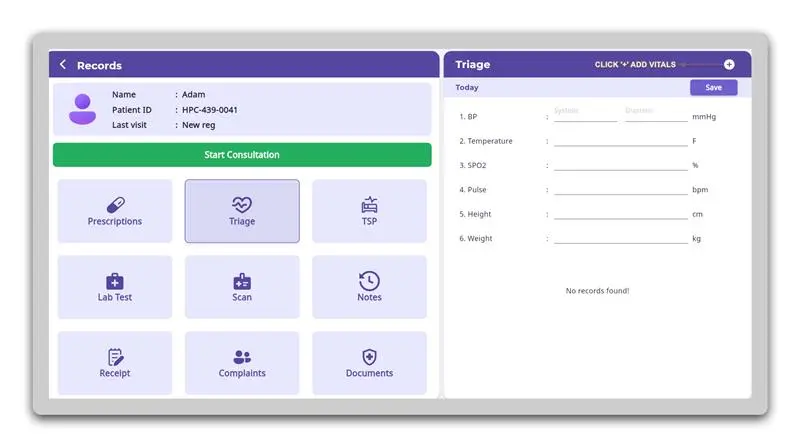
Figure 4: Triage / Add Vitals Screen
Why Clinics Prefer FelixaTouch
Centralized patient information
No duplication of work
Faster consultation workflows
Structured and easy-to-read records
Better coordination across the clinic
Conclusion
Efficient clinics aren’t just about speed they’re about clarity.
FelixaTouch ensures every patient interaction is backed by complete, accessible, and well-organized data helping clinics deliver better care without added complexity