Every Inventory Adjustment Deserves a Record
Managing a pharmacy isn't just about purchasing and dispensing medicines.
There are times when medicines need to be returned, reported, or removed from inventory due to various operational reasons. Without a proper process, these adjustments can lead to stock discrepancies, financial losses, and confusion during audits.
FelixaTouch simplifies medicine return and inventory adjustment by providing a structured workflow that helps clinics and hospitals record every return accurately while maintaining complete inventory visibility.
Why Medicine Returns Need Proper Tracking
Medicine returns happen more often than many clinics realise. Some common situations include:
If these adjustments are not documented properly, inventory records may no longer match the actual stock available in the pharmacy.
Report Medicine Returns in Just a Few Steps
When a medicine needs to be reported or returned, staff can create a return entry directly from the inventory screen.
The process includes:
- 1Selecting the adjustment reason
- 2Entering the affected quantity
- 3Uploading supporting images if required
- 4Assigning the responsible user
- 5Saving the request for further processing
This ensures every inventory adjustment is documented with the necessary information instead of relying on manual notes or spreadsheets.
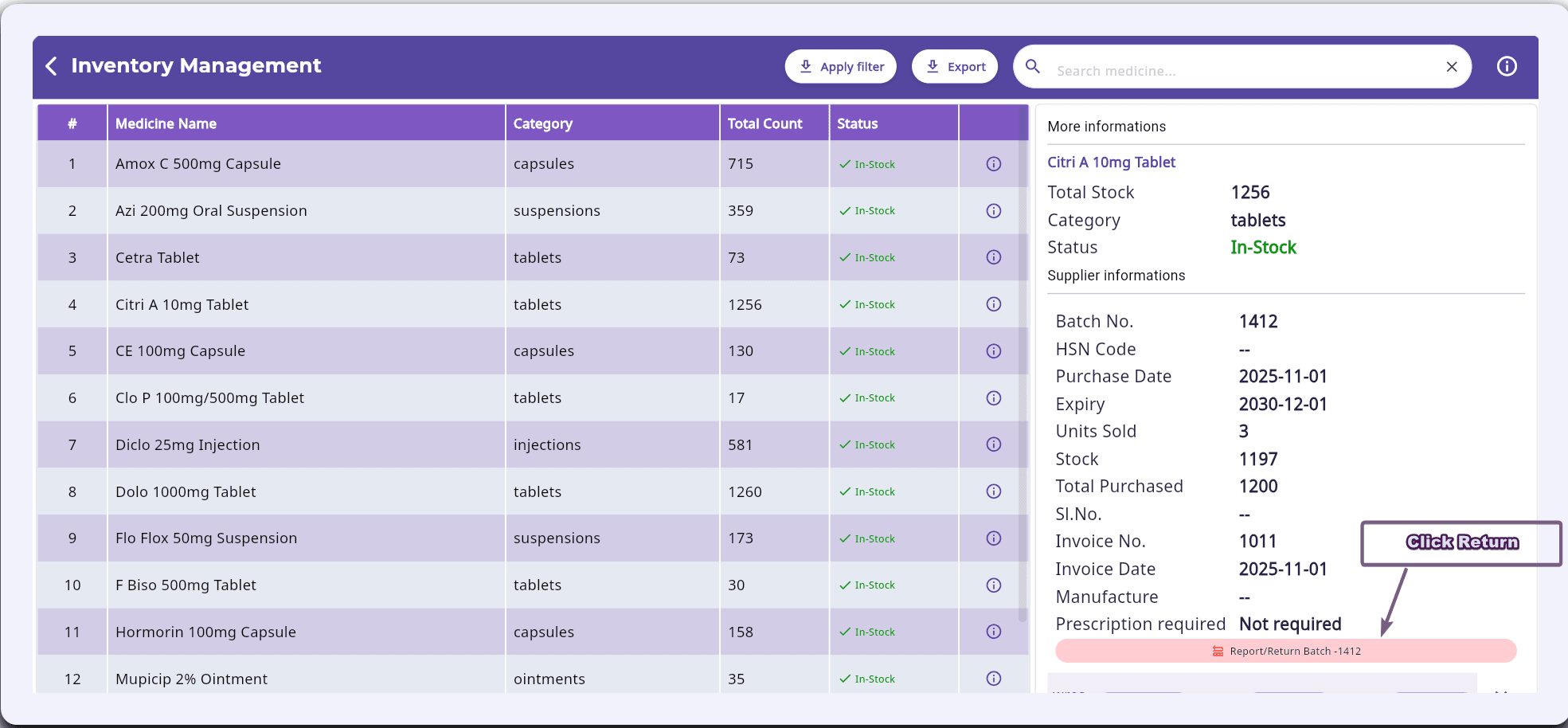
Screenshot 1: Report or Return Item Button
Start a return for any medicine batch directly from the inventory screen.
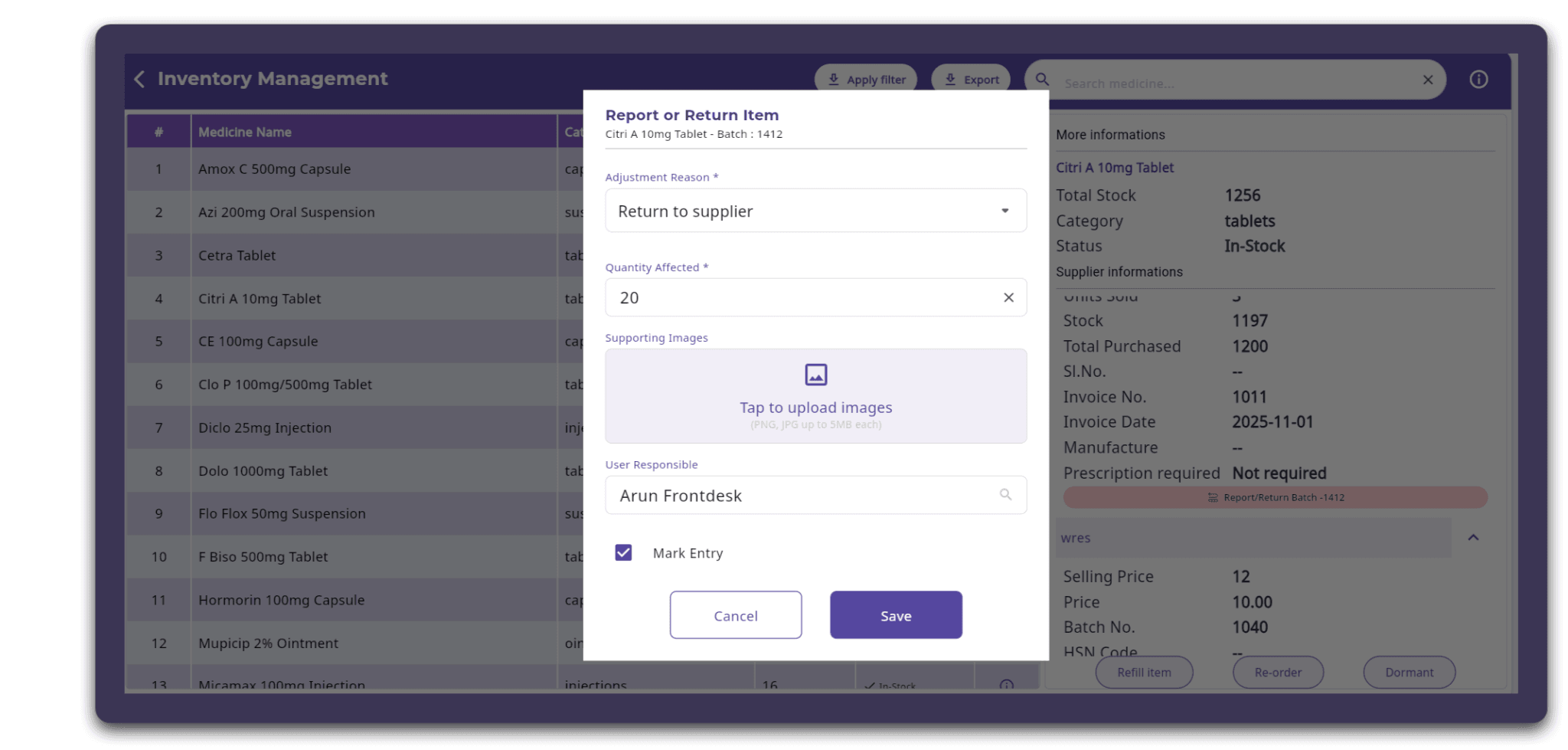
Screenshot 2: Adjustment Reason Window
Choose the reason, enter the affected quantity, attach images, and assign the responsible user.
Support Multiple Return Reasons
Different situations require different actions. FelixaTouch allows users to specify why the inventory adjustment is being made, such as:
Recording the correct reason improves inventory accuracy and creates a clear history for future reference.
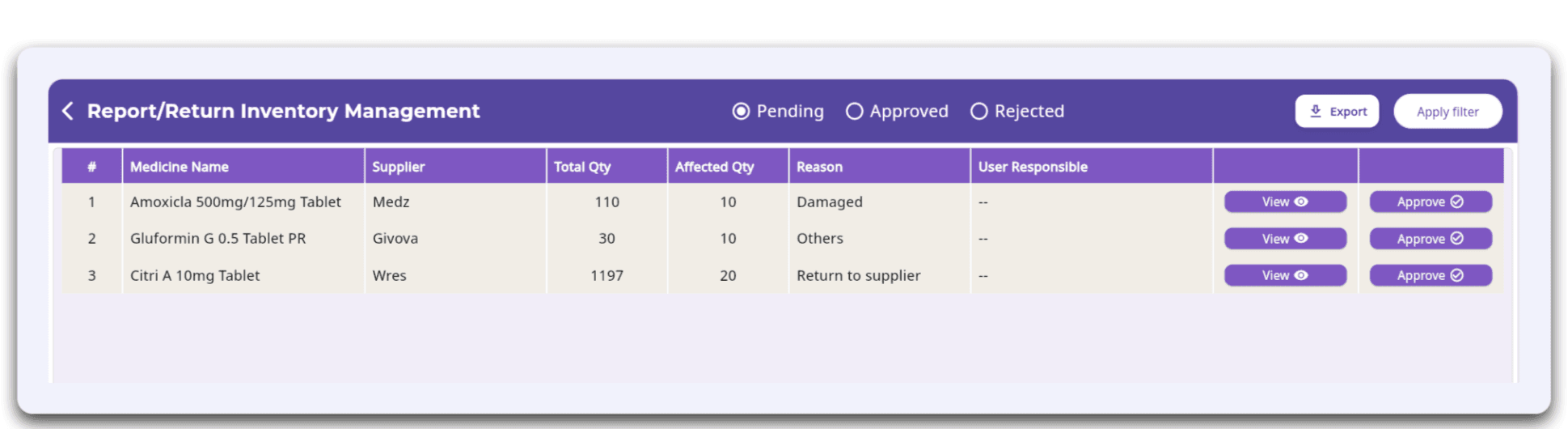
Screenshot 3: Report/Return Inventory Management
Every return request in one list, filtered by Pending, Approved, and Rejected.
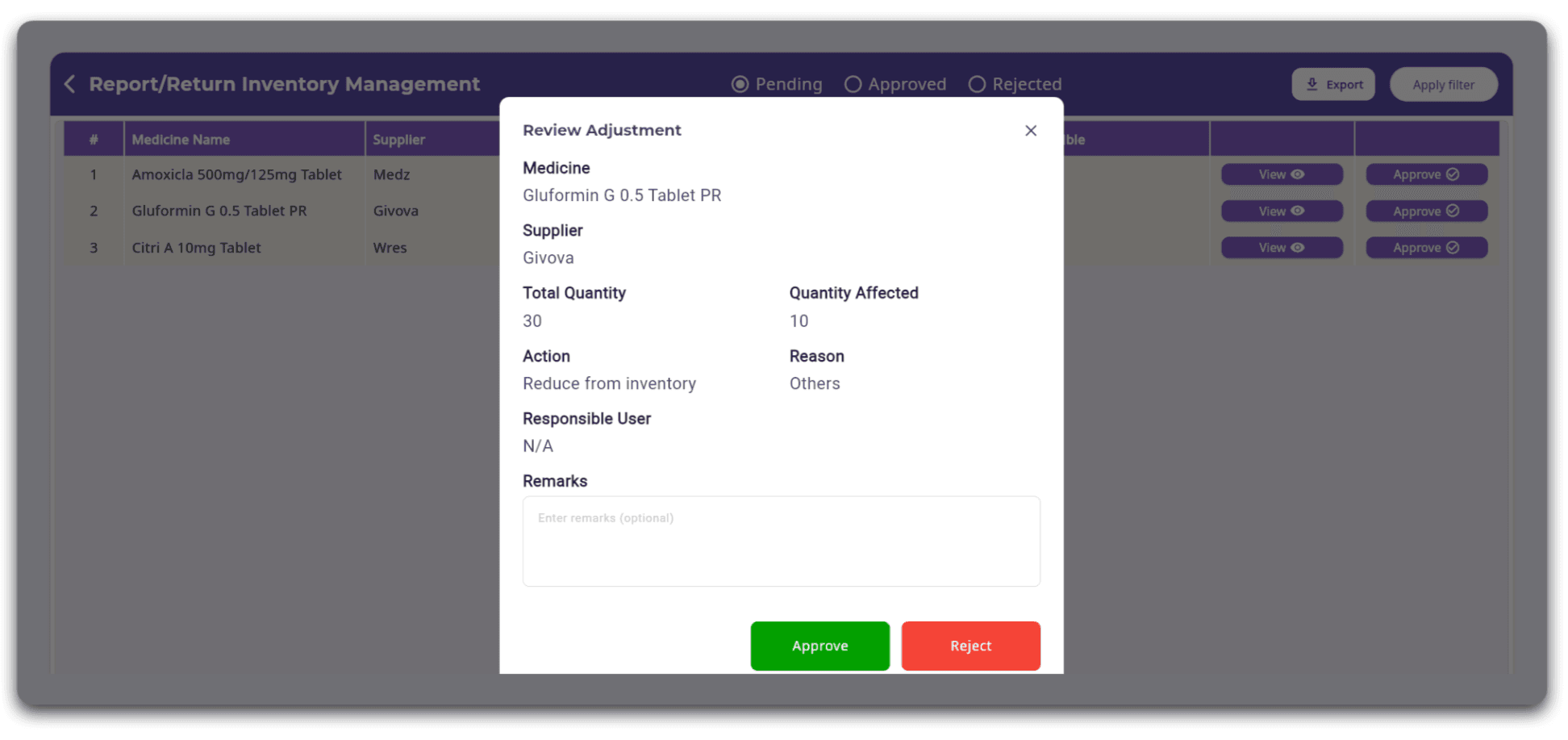
Screenshot 4: Review Adjustment Window
Review the full details of a return, add remarks, and approve or reject it.
Attach Supporting Evidence
Sometimes medicines need to be returned because of damaged packaging, leakage, or other visible defects.
FelixaTouch allows users to upload supporting images while creating the return request.
Having visual evidence helps during supplier communication, internal verification, and audit processes.
Assign Responsibility
Inventory changes should always be traceable.
Each return entry can be associated with the responsible staff member, making it easy to understand who created the request and ensuring accountability throughout the workflow.
Approval Workflow for Better Inventory Control
Once a medicine return is submitted, it becomes part of the Report/Return Inventory Management module.
Authorised users can:
- Review submitted requests
- View return details
- Verify affected quantities
- Approve or reject requests
- Track pending approvals
This approval process helps prevent unauthorised inventory adjustments while maintaining better operational control.
Maintain Accurate Inventory Records
Every approved inventory adjustment updates the pharmacy records systematically. Instead of making manual stock corrections, clinics have a documented history of:
What was adjusted
Why it was adjusted
Quantity affected
Supporting documents
Approval status
Responsible user
This creates cleaner inventory records and improves confidence during audits and stock verification.
Benefits of Managing Medicine Returns with FelixaTouch
Using a structured return workflow helps healthcare organisations:
Conclusion
Inventory management isn't only about adding stock — it's also about managing every adjustment with accuracy and accountability.
Whether medicines are damaged, returned to suppliers, or require inventory corrections, FelixaTouch provides a centralised workflow to document, review, and approve every return. With proper tracking and approval mechanisms in place, clinics and hospitals can maintain accurate inventory records while improving operational efficiency.
Every return documented, every adjustment accounted for.
Ready to Simplify Medicine Returns in Your Pharmacy?
Discover how FelixaTouch helps clinics report, review, and approve every medicine return with a complete audit trail. Book a free demo today.