Every medicine dispensed to a patient begins its journey with a purchase.
When medicines arrive at a clinic, recording only the quantity isn't enough. Important details such as the supplier, batch number, expiry date, pricing, taxes, and purchase information must all be accurately documented. Missing or incomplete records can lead to stock discrepancies, pricing errors, expired medicines, and unnecessary manual work.
A connected purchase workflow helps clinics maintain accurate inventory while reducing manual work and improving stock visibility from the moment medicines enter the pharmacy.
Why Medicine Purchase Management Matters
A medicine purchase is more than simply adding stock to a shelf. It is the starting point of your pharmacy inventory. Every purchase should connect:
When these records are properly maintained, clinics gain better visibility into their pharmacy operations while reducing manual errors. Without a structured purchase process, clinics may face challenges such as:
- Incorrect stock quantities
- Missing batch or expiry information
- Difficulty tracking suppliers
- Pricing inconsistencies
- Duplicate manual entries
- Complications during medicine returns
Managing purchases in a structured manner ensures inventory remains accurate from the moment new stock arrives.
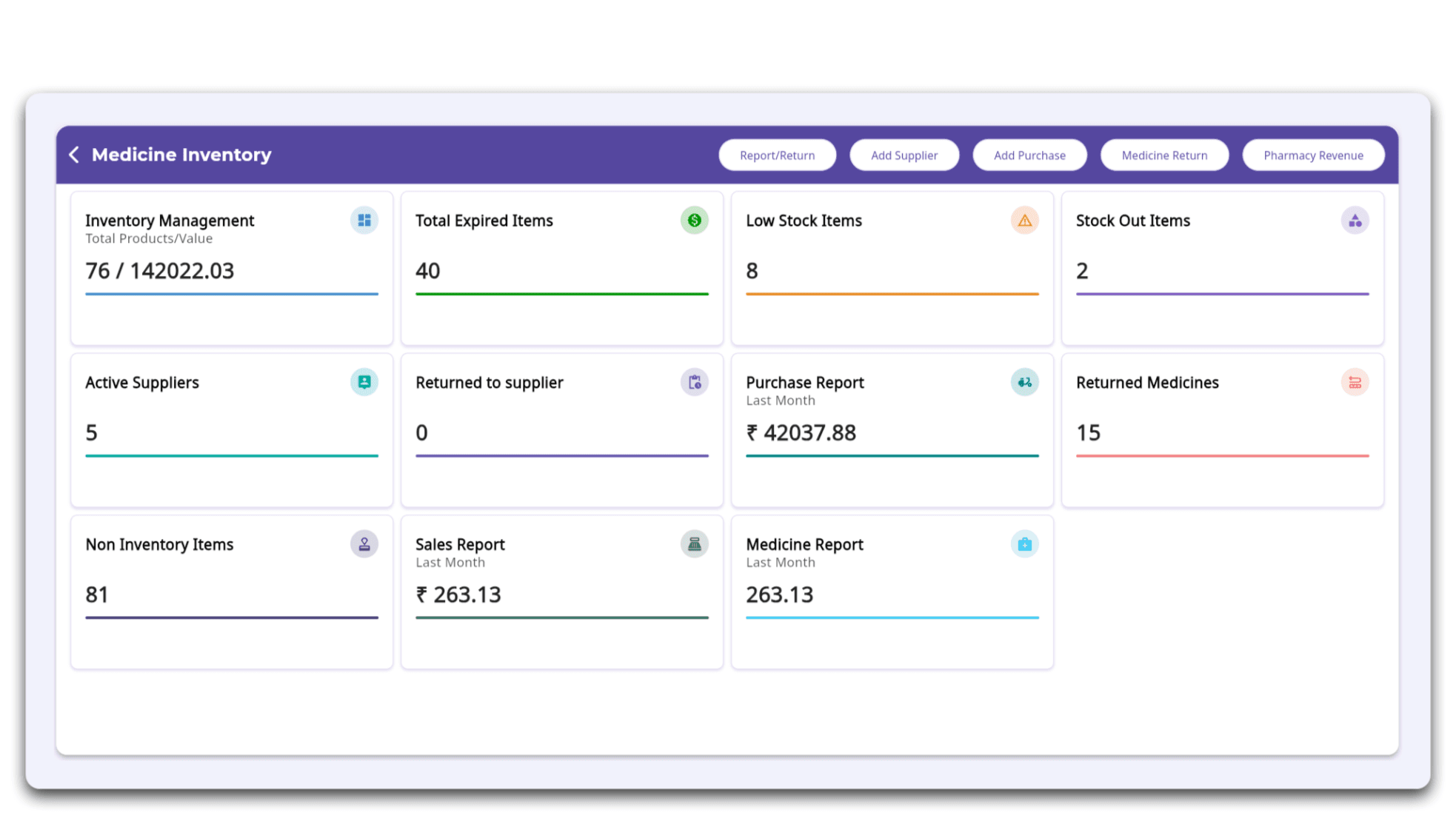
Screenshot 1: Medicine Inventory Dashboard
Inventory dashboard with options to Add Supplier, Add Purchase, Medicine Return, Report/Return to suppliers and more.
Record Every Important Purchase Detail in One Place
Every medicine purchase contains valuable information that supports inventory accuracy and future stock management. FelixaTouch enables clinics to capture essential purchase details, including:
Keeping all of this information together creates a complete purchase record that remains connected to the pharmacy inventory throughout the medicine lifecycle.
Simplify Medicine Purchases with FelixaTouch
Instead of maintaining purchase records separately from inventory, FelixaTouch integrates the purchase process into a single workflow.
Using the Add Purchase screen, clinic staff can record medicine details, quantities, batches, expiry dates, supplier information, pricing, taxes, and other purchase-related data while simultaneously updating inventory.
This reduces repetitive data entry and helps maintain accurate stock records from the very beginning.
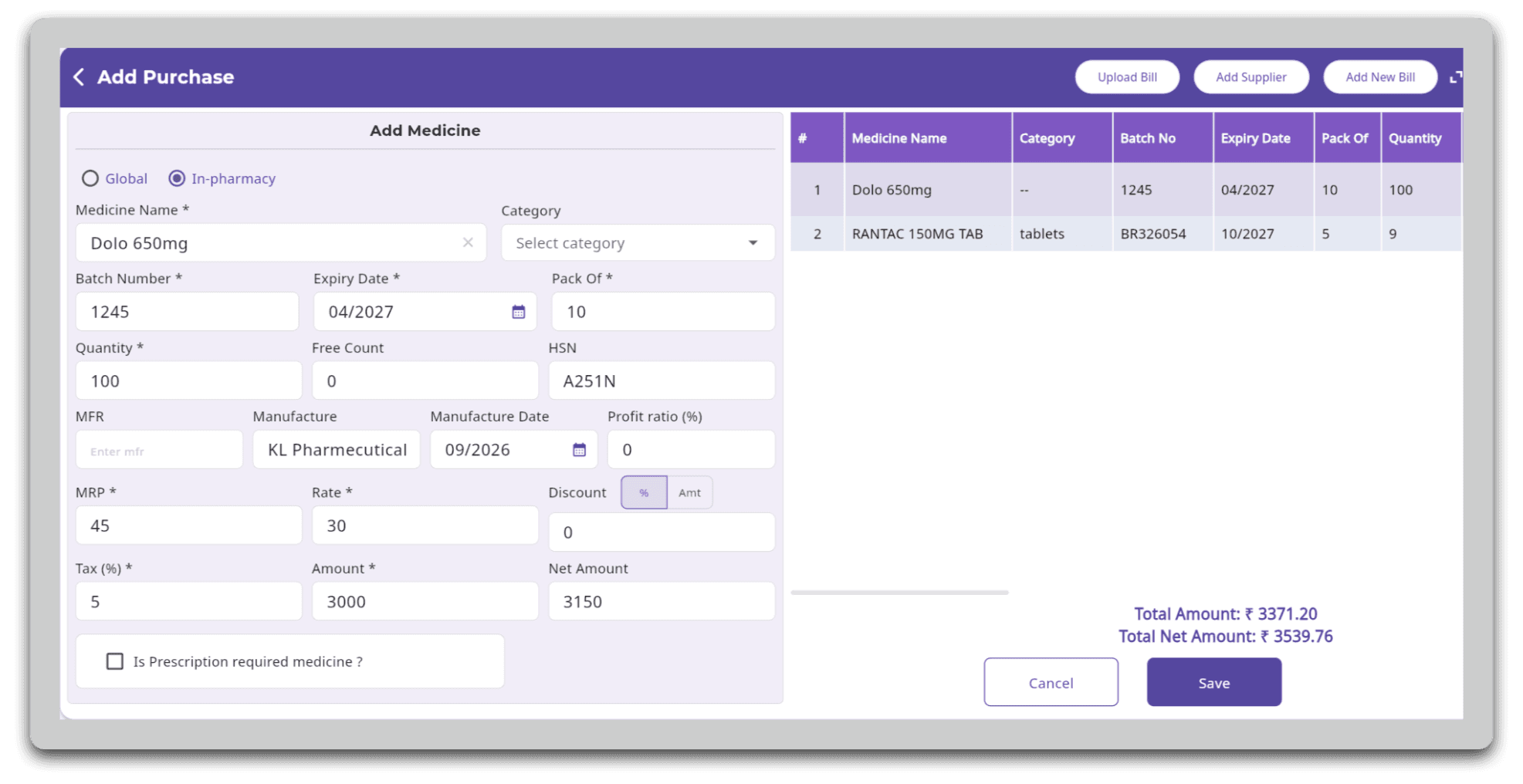
Screenshot 2: Add Purchase Screen
Record medicine details, batch information, expiry dates, supplier details, pricing, taxes, and quantities while automatically updating pharmacy inventory.
Save Time with Bulk Medicine Entry
Adding medicines one by one can be time-consuming, especially when multiple products need to be recorded.
FelixaTouch allows clinics to upload medicine details using a CSV file, enabling bulk medicine entry while reducing repetitive manual work. This helps pharmacy staff quickly add multiple medicines to inventory in a structured and efficient manner.
The CSV upload feature is especially useful when adding large medicine lists, helping clinics save time while maintaining accurate inventory records.
Connect Every Purchase with the Right Supplier
Good inventory management also depends on maintaining organized supplier records. FelixaTouch allows clinics to associate every medicine purchase with its corresponding supplier, making procurement records easier to maintain and review. The workflow follows a simple process:
Maintaining supplier information alongside purchase records simplifies procurement tracking and supports better inventory management over time.
Keep Batch and Expiry Information Connected
Batch numbers and expiry dates are among the most important pieces of pharmacy information. Recording these details during the purchase process allows clinics to maintain accurate inventory while supporting better stock management later.
Connected batch and expiry records help clinics:
- Monitor medicines nearing expiry
- Identify specific medicine batches
- Track available stock
- Support medicine returns
- Maintain reliable inventory records
Capturing these details at the time of purchase helps reduce inventory confusion later.
Manage Patient Medicine Returns
Medicine returns are a routine part of pharmacy operations. FelixaTouch allows clinics to process patient medicine returns within the return period configured by the clinic. This helps ensure that only eligible medicine returns are accepted while keeping pharmacy inventory and billing records accurate.
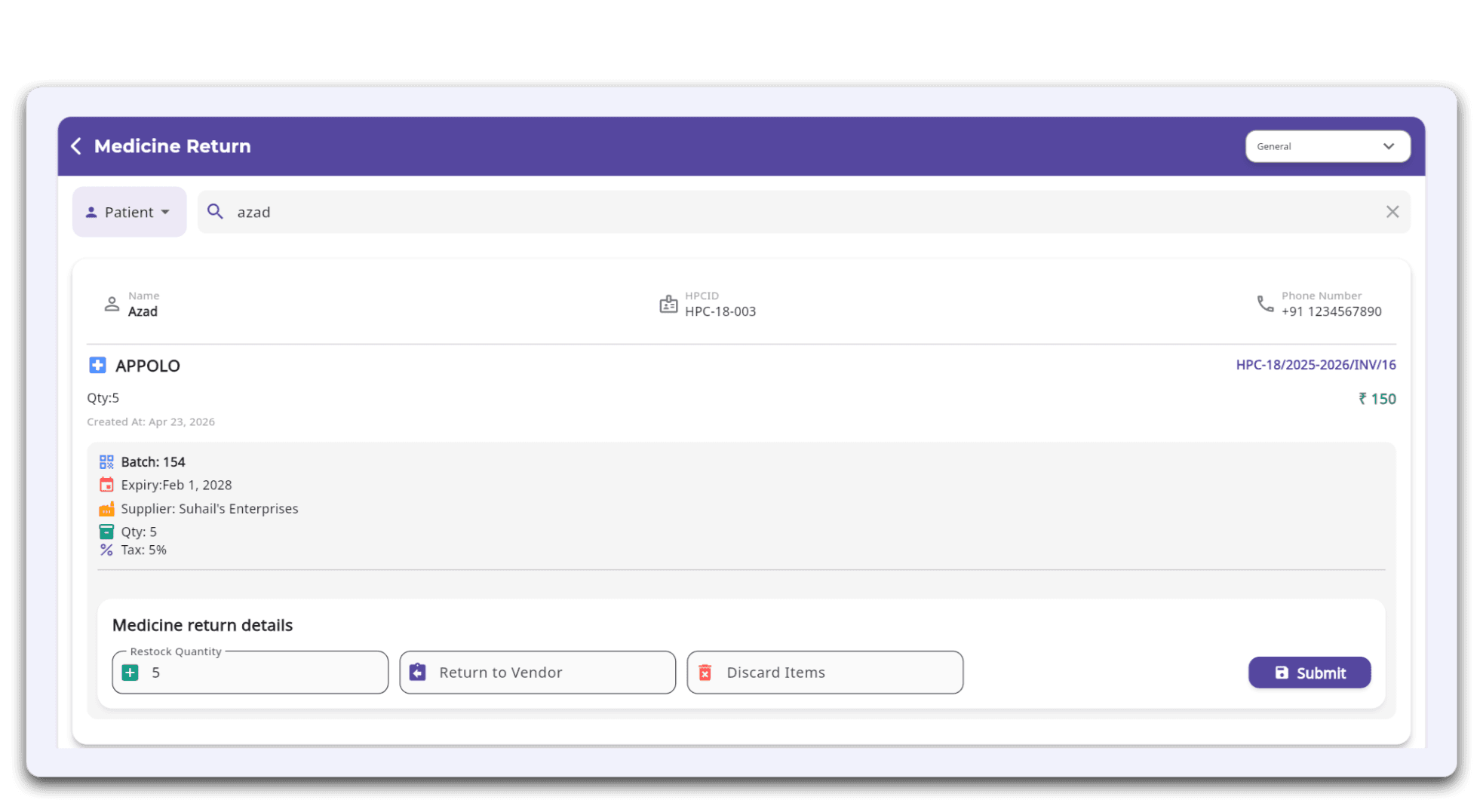
Screenshot 3: Patient Medicine Return
Process eligible patient medicine returns within the clinic's configured return period while maintaining accurate inventory and billing records.
Return Medicines to Suppliers
Apart from patient medicine returns, clinics may also need to return medicines from inventory back to suppliers due to damaged stock, incorrect deliveries, or other purchase-related reasons.
FelixaTouch includes a dedicated Return to Supplier workflow, helping clinics maintain accurate inventory while keeping supplier transactions properly documented. The workflow remains connected:
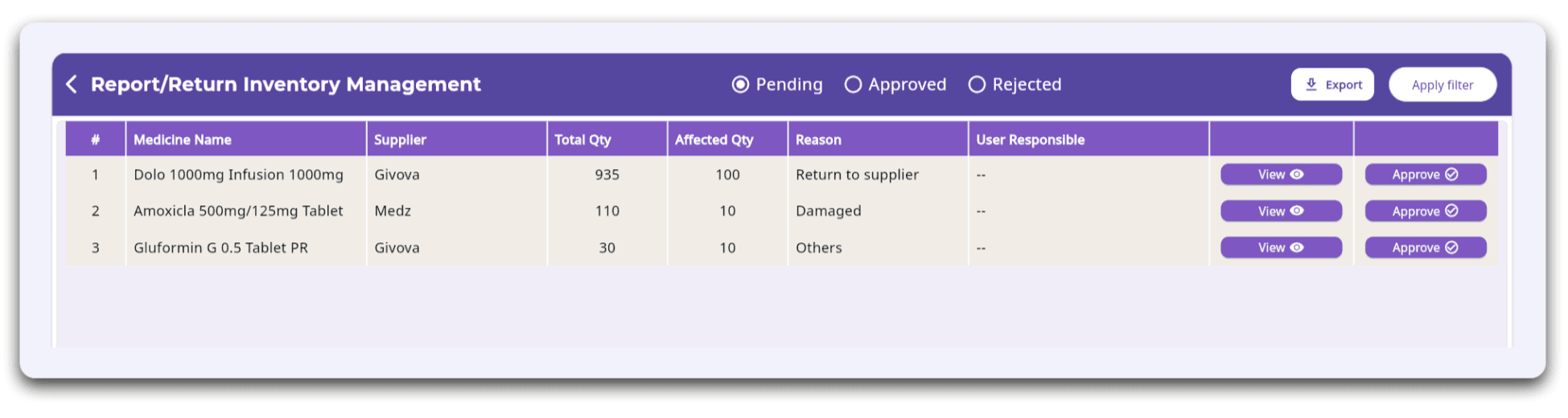
Screenshot 4: Medicine Return to Supplier
Return medicines to suppliers while maintaining accurate inventory records and organized supplier transactions.
A Connected Purchase Workflow for Better Inventory Control
When purchase information is accurately recorded, every stage of inventory management becomes easier. The pharmacy workflow follows a simple path:
Instead of maintaining separate records across different systems, clinics can manage the complete purchase journey within a single connected workflow.
How FelixaTouch Supports Medicine Purchase Management
With FelixaTouch, clinics can:
By connecting every purchase directly to inventory, clinics can reduce manual work while maintaining greater accuracy across pharmacy operations.
Why Choose FelixaTouch?
FelixaTouch combines purchases, suppliers, pharmacy inventory, billing, prescriptions, and patient records in one unified platform. Because every purchase is already linked to the medicines it brings into stock, batch and expiry details stay connected through dispensing, returns, and reporting — without separate registers or duplicate data entry.
Conclusion
Accurate inventory begins with accurate purchases. When suppliers, purchase records, batch information, expiry dates, inventory updates, and return workflows are connected, clinics gain better visibility into pharmacy operations while reducing manual errors and improving stock accuracy.
FelixaTouch brings these activities together in one integrated clinic management platform, helping clinics simplify medicine procurement, maintain organized inventory, and support efficient day-to-day pharmacy operations.
From supplier to stock, every purchase matters.
Ready to Connect Every Purchase to Your Pharmacy Inventory?
Discover how FelixaTouch helps clinics build a smarter, more connected pharmacy workflow — from supplier to stock. Book a free demo today.