Efficient doctor scheduling and appointment booking form the backbone of every well-run clinic. Without a structured system, clinics often face double bookings, long waiting times, unmanaged queues, and billing inconsistencies.
Modern healthcare demands more than basic booking — it requires an integrated doctor scheduling and appointment management system. FelixaTouch provides a centralized solution that enables Admins, Front Desk staff, Doctors, and Nurses to manage availability and appointments seamlessly.
Why Doctor Scheduling and Appointment Management Matter
An effective scheduling system ensures smooth coordination across all roles, from front desk to doctors. With FelixaTouch, scheduling and booking are fully connected.
- Structured doctor availability
- Predictable patient flow
- Controlled overbooking
- Accurate consultation fee capture
- Reduced waiting time
Part 1: Doctor Schedule Creation in FelixaTouch
Used By
AdminPurpose
Define doctor availability, consultation timings, tokens, and fees.
Doctor scheduling is the foundation of appointment management. Once a schedule is created, appointments can be booked based on real-time availability.
How to Create a Doctor Schedule
Access Level: Admin Only
Steps
- 1
Log in as Admin and open the Schedule module.
- 2
Select the required doctor from the list.
- 3
Click Add Schedule.
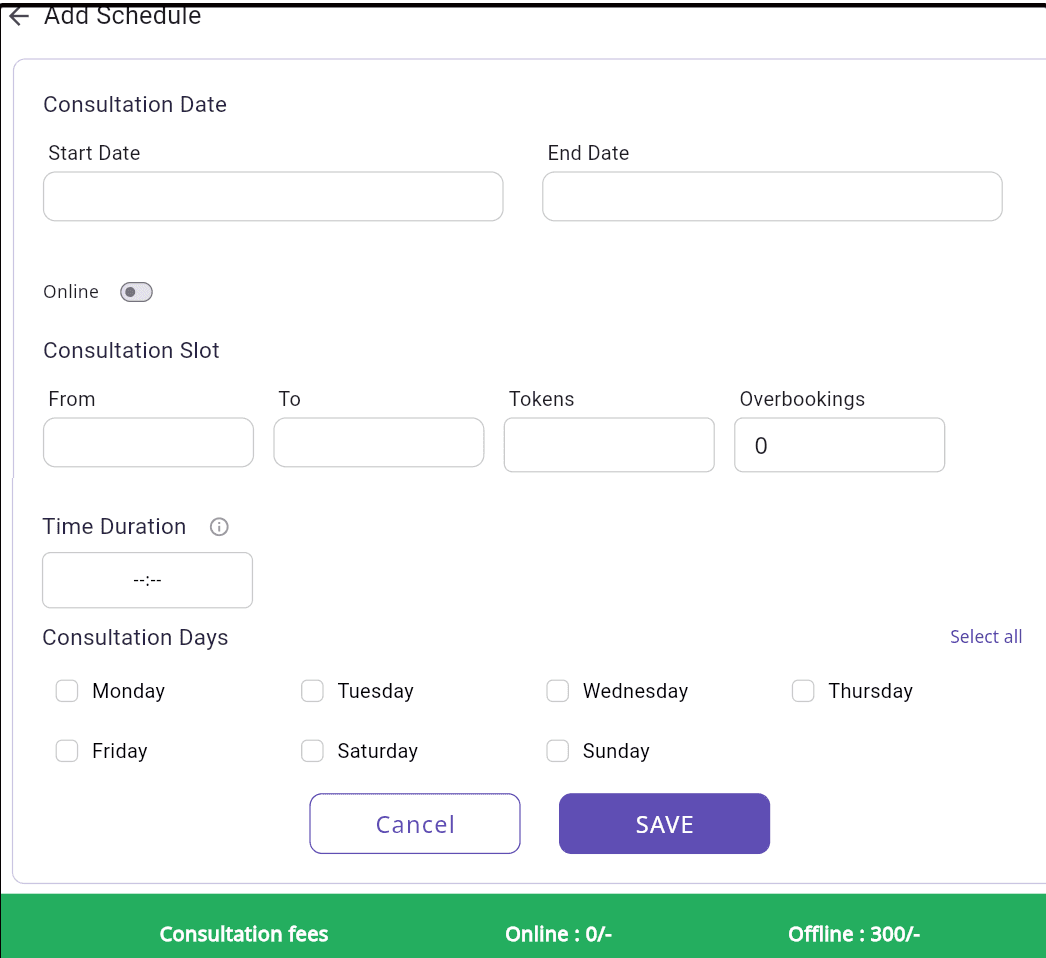
Figure 1: Doctor Schedule Creation screen in FelixaTouch
Configure the following:
Click Save to activate the schedule.
Flexible Schedule Controls
Edit, delete, or cancel schedules with ease
FelixaTouch gives Admins complete control over doctor schedules with flexible management options.
- Editing or deleting schedules.
- Click on the Bin icon to delete.
- Click on the Calendar icon for schedule cancellation.
- Cancelling schedules for specific dates.
- Calendar-based slot cancellation.
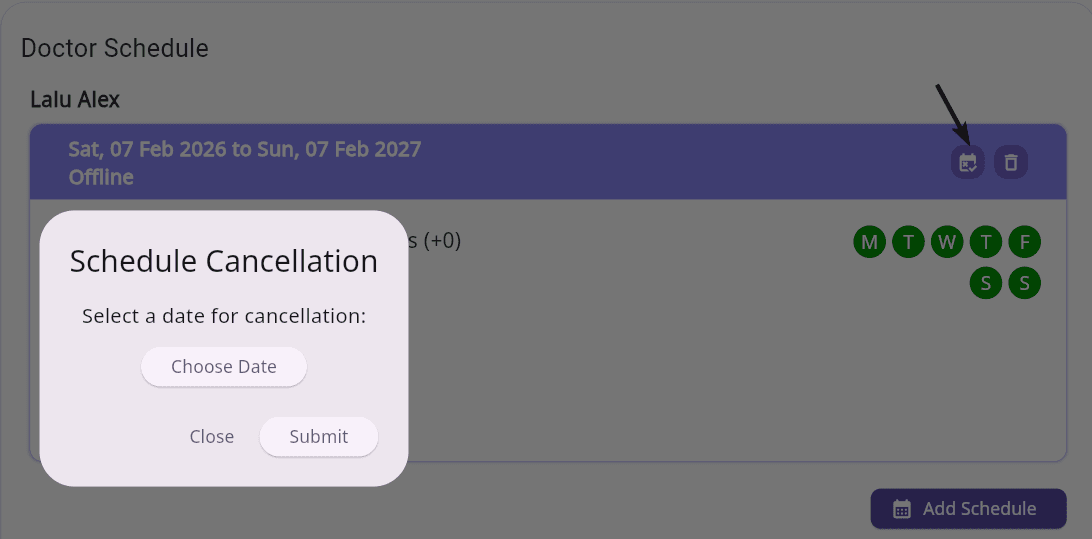
Figure 2: Schedule Cancellation option in FelixaTouch
Select a specific date for cancellation using the calendar-based interface
Part 2: Appointment Booking in FelixaTouch
Used By
Purpose
Book appointments based on active doctor schedules.
FelixaTouch supports multi-role appointment booking, ensuring operational flexibility across your entire clinic team.
(i) Appointment Booking by Admin / Front Desk
Used By: Admin / Front Desk
Steps
- Click the Booking option from the dashboard.
- Register new patients using Spot registration (Name + Phone), or search existing patients.
- Select the doctor, date, and available time slot.
- Confirm to complete the booking.
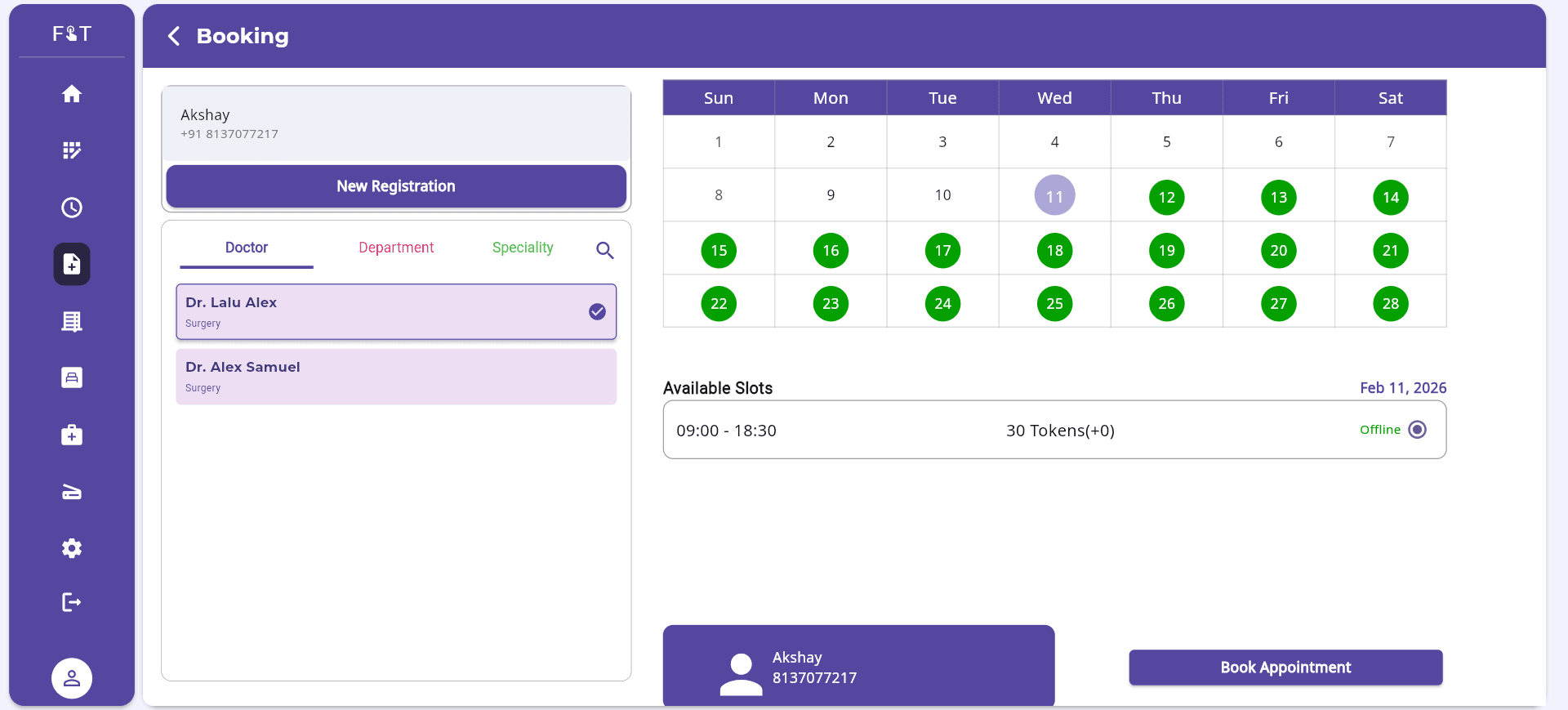
Figure 3: Appointment Booking screen – Admin View in FelixaTouch
Outcome:
Real-time slot visibility with fast and accurate appointment confirmation.
(ii) Appointment Booking by Doctor
Doctors can directly manage walk-in patients without front desk dependency.
Steps
- 1
Log in as Doctor.
- 2
Click the Add Booking option in an available slot.
- 3
Search for an existing patient or register a new patient (Spot or Complete Registration).
- 4
Confirm the booking.
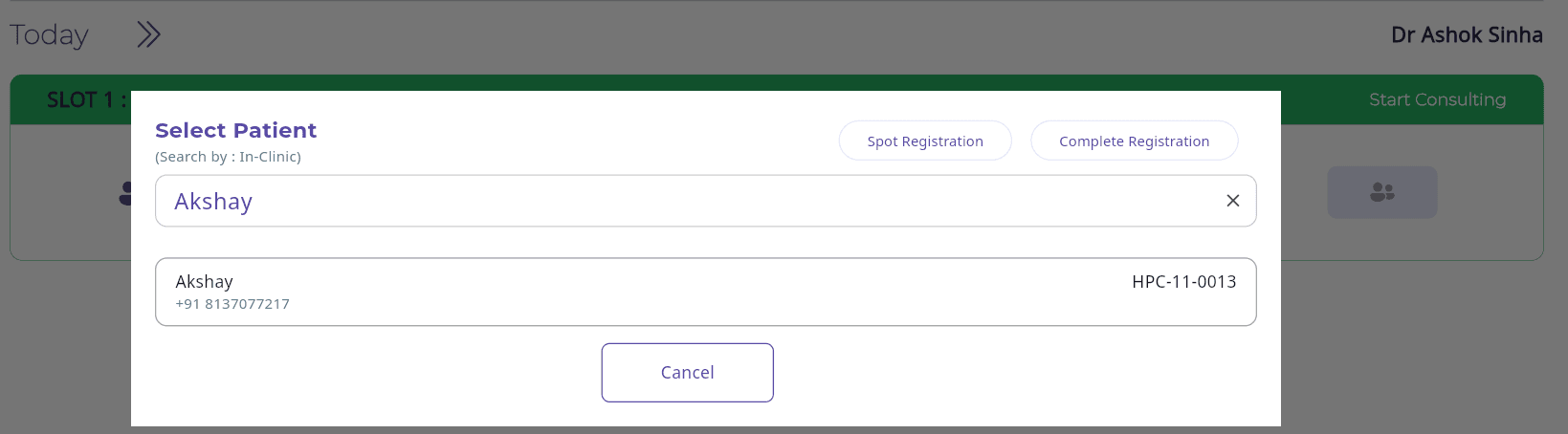
Figure 4: Doctor-side Appointment Booking in FelixaTouch
Outcome:
Direct queue management and faster walk-in handling.
(iii) Appointment Booking by Nurse
Used By: Nurse
Steps
- Log in as a Nurse.
- Select an available slot, click on the +Add icon and search for the patient.
- Confirm to finalize booking.
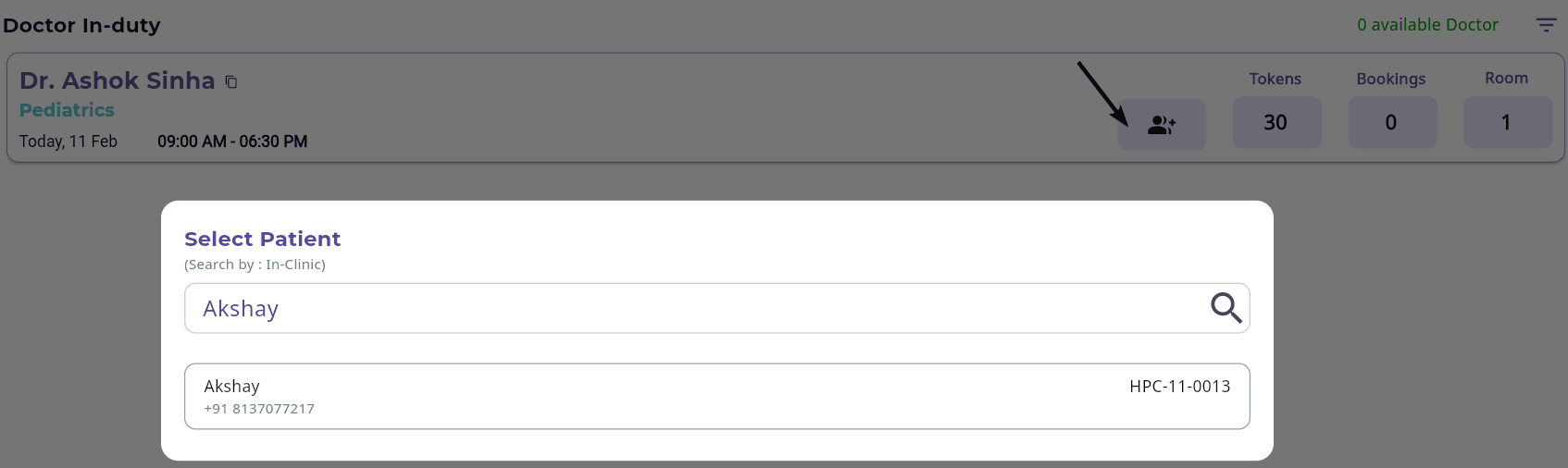
Figure 5: Nurse-side Appointment Booking in FelixaTouch
Outcome:
Improved coordination and smoother patient flow.
Key Benefits of FelixaTouch Scheduling & Appointment System
Centralized Doctor Availability Management
All schedules managed from a single Admin dashboard
Role-Based Booking Access
Admin, Front Desk, Doctor, and Nurse each book within their access level
Token and Overbooking Control
Define slot limits and overbooking thresholds per schedule
Automatic Consultation Fee Capture
Fees are integrated directly into billing upon booking
Integrated Patient Registration
Spot or Complete Registration directly from the booking flow
Improved Clinic Efficiency
Reduced waiting time and optimized consultation throughput
Conclusion
Doctor scheduling and appointment booking are interconnected processes that directly impact clinical efficiency and patient experience. With structured schedule creation, flexible booking access, and automated billing integration,FelixaTouch delivers a complete doctor scheduling and appointment management system for modern healthcare facilities.
Whether managing planned consultations or walk-in patients, FelixaTouch ensures efficiency, accuracy, and seamless coordination.
Ready to Streamline Your Doctor Scheduling?
Experience complete doctor scheduling and appointment management with FelixaTouch. Book a free demo today and see how we can transform your clinic's operations.